broadboard
BroadBoard
BroadBoard is an on-screen keyboard (IME) designed for people with low vision. Instead of shrinking keys to fit everything on the screen at once, BroadBoard keeps every key big and readable — you simply pan around the keyboard to reach the keys you need, so no key ever has to be small.



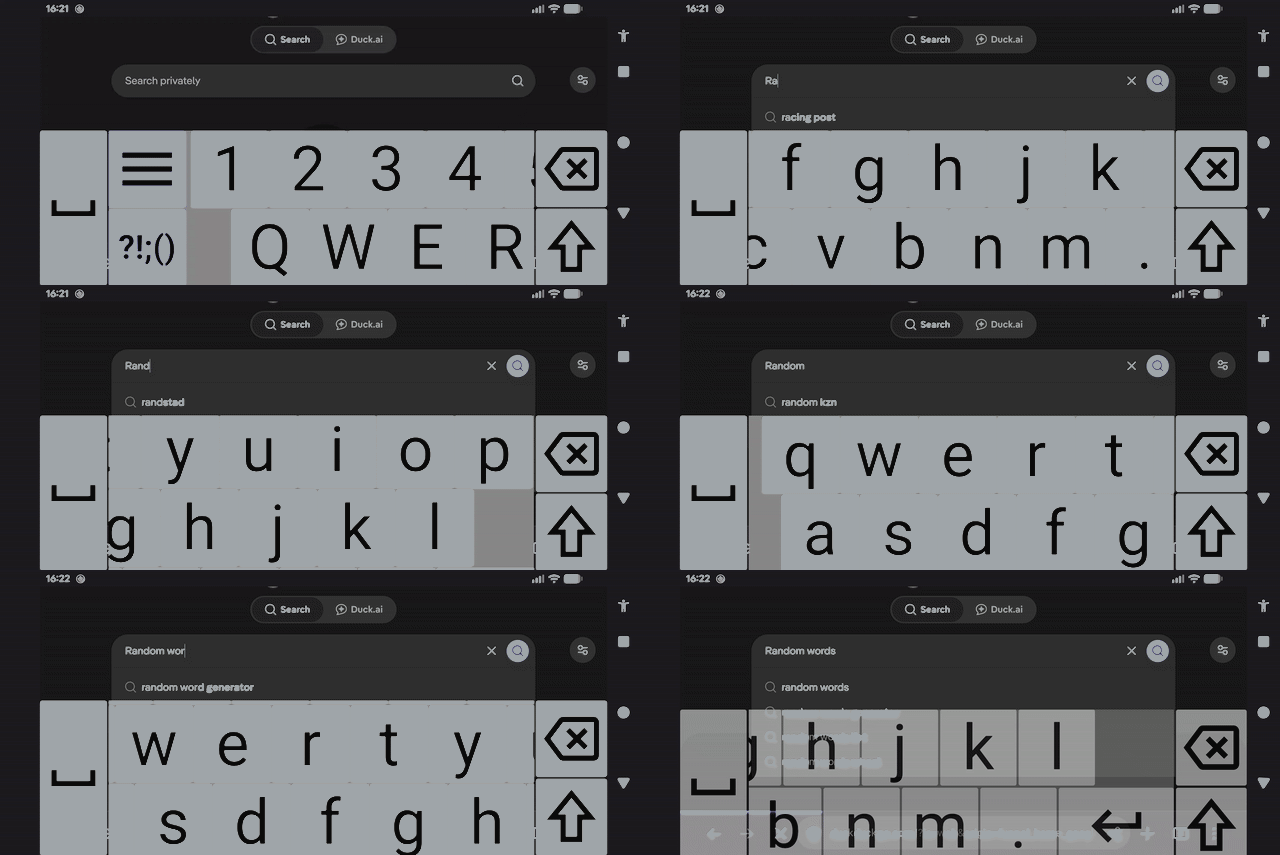
Features
- Large, scrollable keyboard with oversized, high-contrast keys
- Multiple color themes, including extra dark and high-visibility options
- Adjustable keyboard sizes, up to extra large
- Optional haptic feedback
- Screen reader friendly
- Locale support
Installation
Google Play

Setting up the keyboard
After installing, BroadBoard must be enabled and selected as your input method:
- Go to Settings → System → Languages & input → On-screen keyboard → Manage keyboards
- Enable BroadBoard
- Switch to it via the keyboard picker (tap the keyboard icon in the navigation bar, or long-press the spacebar in most apps).
Alternatively, launching BroadBoard from the app tray provides guided links to the correct settings screen and keyboard picker
Building from source
This project is built with the Gradle command-line tools (no Android Studio required).
git clone https://github.com/galagidae/broadboard.git
cd broadboard

# Debug build
./build.sh

# Release build
./build.sh release
Requirements:
- JDK 21
- Android SDK with platform 36 and build-tools 36 installed (
sdkmanageris sufficient – Android Studio is not needed)
Privacy
BroadBoard collects no data.
See PRIVACY.md for details.
License
This project is licensed under the GNU General Public License v3.0.
Copyright (C) 2026 Anthony Benbrook

This program is free software: you can redistribute it and/or modify
it under the terms of the GNU General Public License as published by
the Free Software Foundation, either version 3 of the License, or
(at your option) any later version.
See LICENSE for the full text.